OneAPI Gateway Complete Guide: Self-Hosted Unified LLM Gateway — One Binary, One Key for OpenAI / Claude / Gemini / DeepSeek (with Screenshots)
TL;DR: OneAPI Gateway is APIShare's self-hosted high-performance aggregator that collapses OpenAI, Anthropic Claude, Gemini, DeepSeek, Azure and 10+ upstreams behind one OpenAI-compatible endpoint. Single static binary + system tray + admin dashboard + sidebar AI agent, ready out of the box. This is a pure feature guide with 2 live screenshots and a step-by-step monetization flow — no commands needed.
Why a Unified Gateway?
Five vendors mean five auth flows and five retry policies. Every new model forces business code changes. OneAPI inserts a proxy between client and upstreams, collapsing many-to-many into many-to-one: clients hit one endpoint while the gateway owns routing, auth, retries, streaming and billing aggregation.
Cost is one extra hop (typically under 20ms) for centralized keys, unified rate limits and observable metrics — a must for any multi-model product. It shields upstream differences and makes adding new models transparent to business code.
Pain points → Value:
- Scattered keys → centralized control, rotate once, apply globally
- Quota exhaustion → smart circuit breaker and auto-isolation of unhealthy channels
- Fragmented billing → global Token and success-rate stats, clear cost view
- Protocol incompatibility → fully OpenAI-compatible, zero-change SDK replacement
What is OneAPI?
- Stack: Self-developed OneAPI Gateway, single static binary, no external dependencies, embedded frontend assets — edit admin page and refresh, no rebuild needed.
- Form factor: Same binary for desktop and server. Desktop offers tray/menu-bar interaction for start/stop/configure/monetize; server runs as a background service with auto-start, data persisted in working directory.
- Protocol: Fully OpenAI-compatible: dual-path compatibility, SSE streaming passthrough, universal alias
mymodelauto-routes to the healthiest and most cost-effective active channel. - Releases: Private development repository, public rolling releases always fetch the latest stable version via the official install entry, out of the box.
Feature Matrix
| Feature | Detail |
|---|---|
| System Tray Manager | Start/stop/restart/configure/monetize from tray |
| Universal Alias mymodel | Alias load-balances across all active channels, no client-side model selection |
| Multi-Provider Aggregation | OpenAI / Anthropic / Gemini / DeepSeek / Azure / Groq / Cohere, one-click Load Official Source |
| Daily Self-Test & Quota | Smart quota-exhaustion breaker, daily midnight reset, midday health checks |
| Per-Key Rate Limits | Independent rate and total quota per token, ideal for team distribution |
| Path Compatibility | Multiple OpenAI-compatible paths supported, zero SDK changes |
| Observability | Latency, token usage, success rate in Stats dashboard |
| APIShare Ready | Tray → Sell token → tunnel → publish mymodel on APIShare, earn share |
Live Screenshots
1. Dashboard
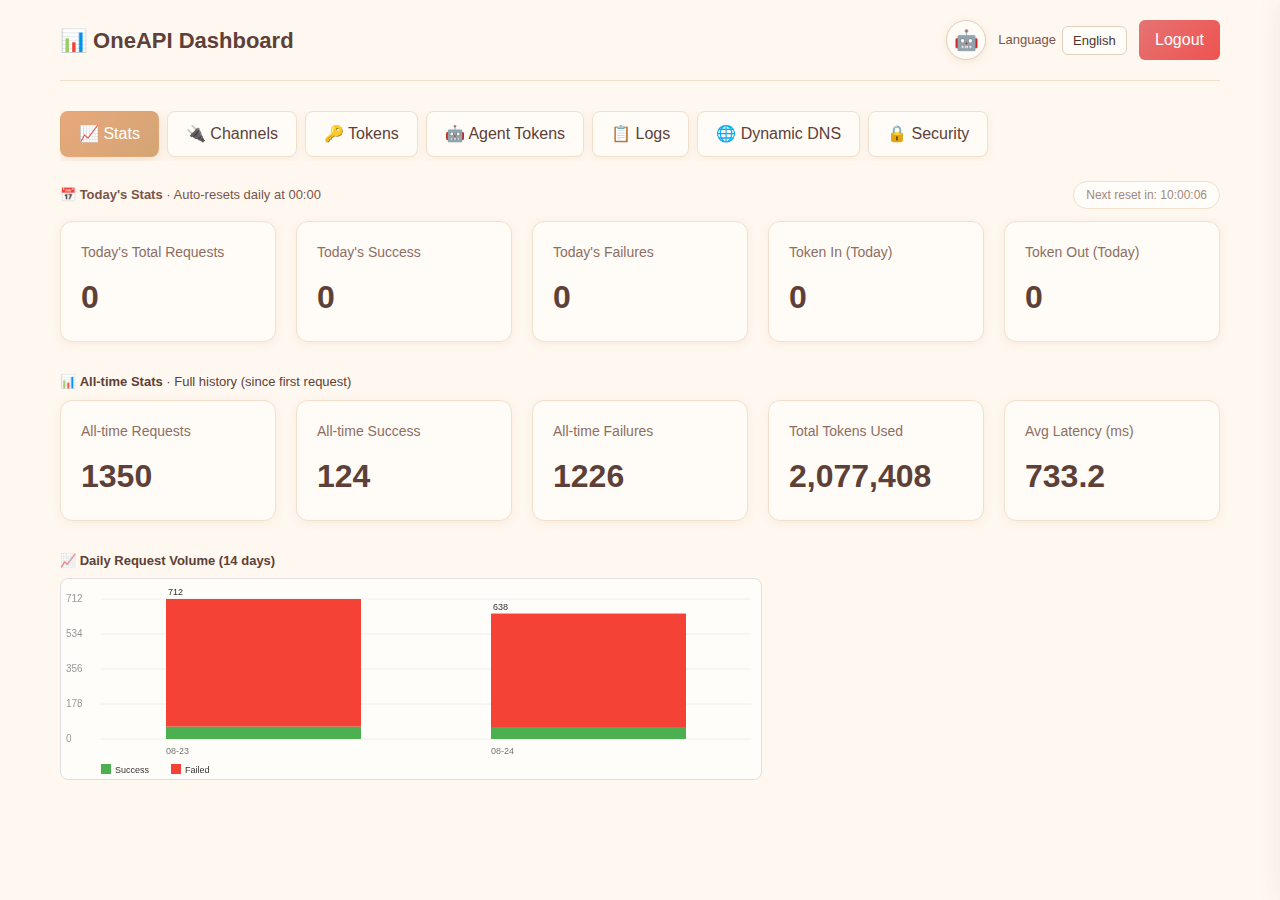
Stats cards (requests, success rate, Token In/Out), quality bar and health overview — real-time observability at a glance.
2. Channels
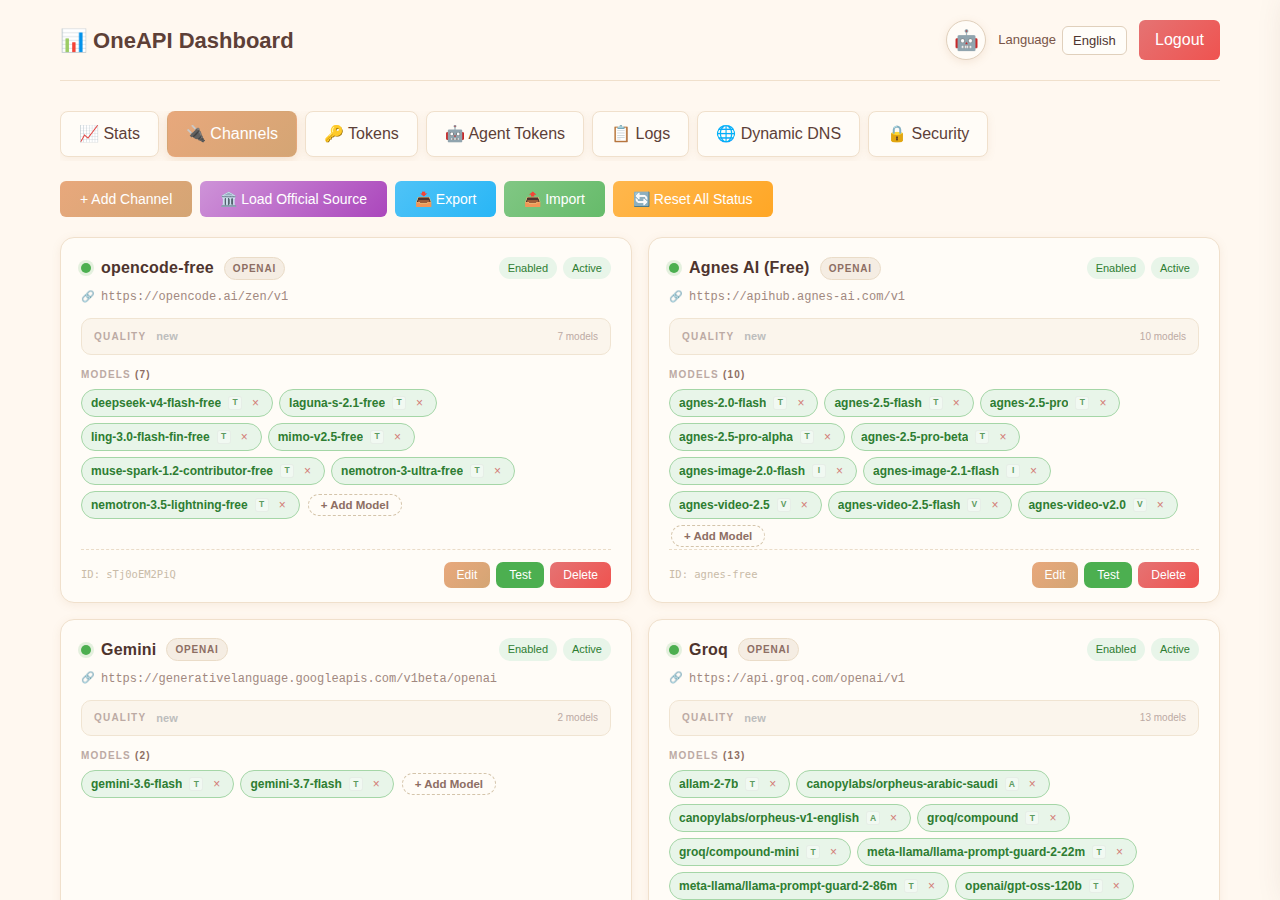
Channel cards (Base URL, model tags, status dot), quality bar. Model tags color by state (active / quota-exhausted / rate-limited / error). Grid and table views supported.
Monetize with APIShare
OneAPI is APIShare-ready and designed for users with spare free quota. The entire flow is UI-based, no network reconfiguration needed:
When to use: When a channel has spare free quota and your local gateway is running stably, you can share capacity to the APIShare platform for metered public use and earn a share.
Step-by-step (UI only, no commands):
- Open your APIShare dashboard, locate the Agent Secret Keys section and copy your dedicated key
- Return to the OneAPI system tray on your machine and open the monetization entry
- Paste the key and confirm — OneAPI automatically establishes a secure tunnel and activates the provider
- Once activated, public traffic is forwarded via APIShare to your local gateway and settled by actual usage, with the share ratio clearly shown on the dashboard
- Monitor traffic and earnings in real time on the dashboard — the tunnel handles reconnection and circuit breaking automatically
Key advantages: No DNS changes, auto-reconnect and breaker; full local control, start/stop sharing anytime; transparent earnings and usage on APIShare dashboard.
Comparison
| Solution | Form | Coverage | Highlight | Best For |
|---|---|---|---|---|
| OneAPI Gateway | Single binary + tray | 10+ vendors, OpenAI compat | Zero deps, mymodel routing, one-click monetize | Self-host + monetize spare quota |
| LiteLLM Proxy | Proxy service | 100+ LLMs | Rich ecosystem, deep SDK integration | Teams invested in that ecosystem |
| Portkey Gateway | Gateway service | 250+ LLMs | Guardrails, caching, rich retry | Enterprise governance |
| Cherry Studio | Desktop client | 300+ providers | Local KB, Agent tools | End-user chat |
| Lobe Chat | Web client | Pluginized | Plugin market, session mgmt | Team KB chat |
Best Practices
- Keep gateway stateless; externalize keys and routing tables for horizontal scaling without session stickiness.
- Config-as-code: keep routing tables in version control and review changes via pull requests for traceability.
- Canary new providers with a small traffic share for a period, watch latency and error rates before ramping.
- Standardize timeouts for upstream and streaming scenarios, combined with limited auto-retries and adaptive rate limiting.
- Use optimized build parameters for releases to keep artifacts small and free of build-environment leakage, verifiable via version metadata.
Summary
- One key for all models:
mymodelplus OpenAI-compatible endpoint, just point your client to the gateway. - Zero ops: single binary plus tray and auto-start, database persisted in working directory, minimal maintenance.
- Monetize: one-click tunnel to sell idle quota on APIShare.
Next: Cherry Studio Complete Guide (300+ providers, local KB & Agent) — queued in Unified category.
🚀 Get Started: One-Click Free API Access
Want to call all the free models above with a single API key, no need to sign up for each provider? Apishare.cc provides a unified API Key — one key, 100+ models, free models at zero cost.
👉 Register on Apishare.cc → Get your unified API Key
📊 Want to see more free model rankings? Check out the Sep 2026 Free LLM API Rankings →
About the Free API Aggregator
The models covered in this guide are all served through the APIShare free API aggregator, which gives you one key for the whole catalog.
- Full model catalog: APIShare free API directory
- Sign up for a free trial key: Register and claim your API key